
Account Deletion Guide
Follow these steps to delete your Dilwale account safely. This process is designed to protect your privacy and ensure a smooth experience.
- Ensure you have an active account on the Dilwale app. You must have previously registered and logged in at least once.
- Open the Dilwale app on your device and log in with your credentials (phone number/email and password).
- Navigate to the app drawer by tapping the menu icon (usually three horizontal lines) from the main screen.
- Look for the "Delete Account" option in the app drawer menu and tap it.
- Review the account deletion confirmation message, which will outline the implications (e.g., permanent data removal).
- Confirm your decision by following the on-screen instructions, which may include entering your password or a verification code.
- Once confirmed, your account will be scheduled for deletion, and you’ll receive a confirmation email.
Note: Account deletion is irreversible. Ensure you back up any data (e.g., chat history or saved profiles) before proceeding, as it will be permanently removed.
App Screenshot
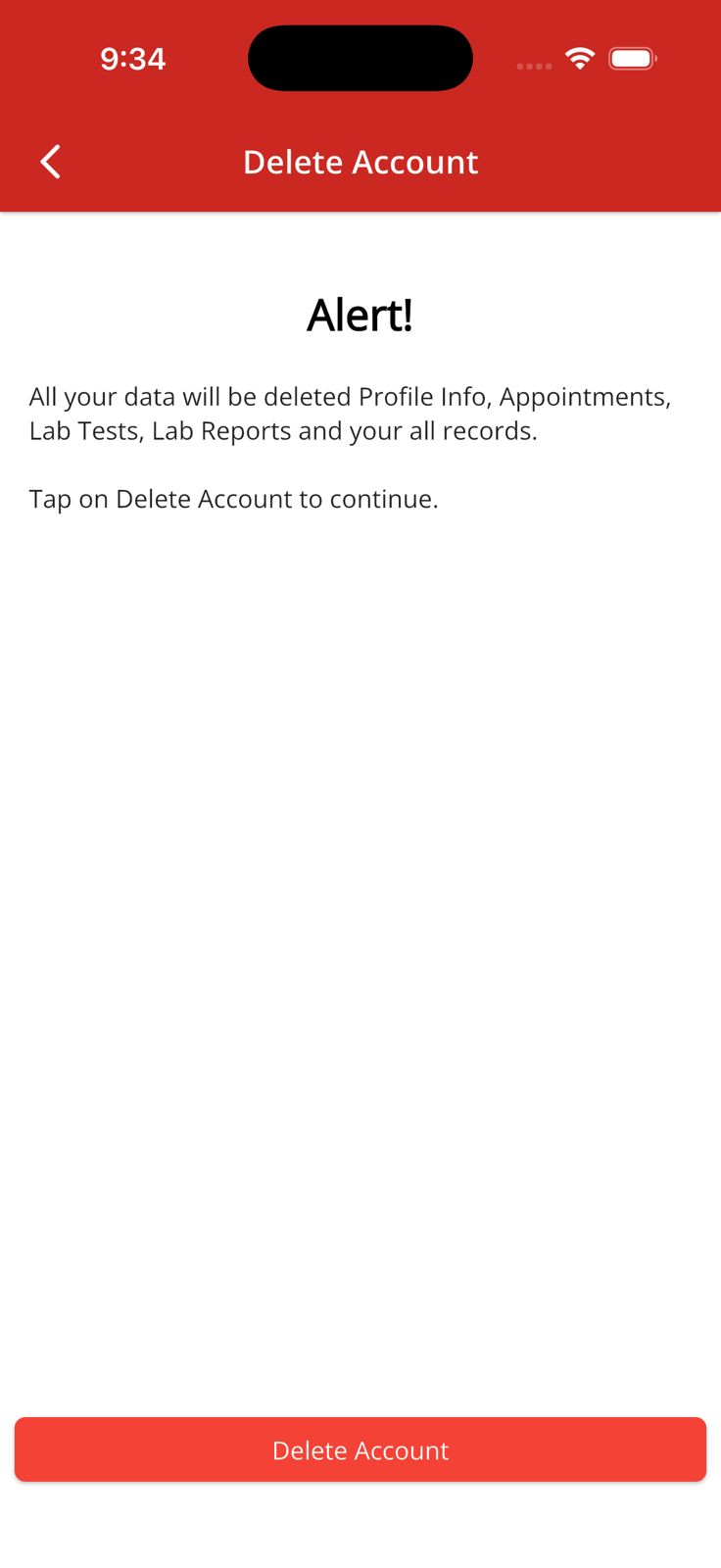
Example of the app drawer with the Delete Account option (highlighted).
Important Notes
- Your data will be securely deleted in compliance with GDPR and Pakistani data protection standards.
- If you encounter issues, contact us at dilwaleapp@gmail.com for assistance.
- Deletion may take up to 30 days to complete, during which your account will be deactivated.